
Automatic shift alarms
Choose how early you want to be up — anywhere from a few minutes to several hours — and Rostrik schedules an alarm ahead of each rostered shift. No resetting alarms by hand every swing.
Available now on Android · iOS in development
Rotating rosters break ordinary alarm apps. Build your rotation in Rostrik once, and it schedules a wake-up alarm ahead of each day, afternoon and night shift — no more resetting alarms by hand every swing.
Seven alarms, four toggles and a mental note — rebuilt by hand every time the roster swings.
Pick a rotation template or build your own. Rostrik projects it forward for you.
Rostrik schedules a wake-up for each rostered shift at the lead time you chose. Days off stay quiet.
What it does
Everything in Rostrik points at one job: lining up tomorrow’s alarm with the shift you’re actually on.
Choose how early you want to be up — anywhere from a few minutes to several hours — and Rostrik schedules an alarm ahead of each rostered shift. No resetting alarms by hand every swing.
Day shifts, night shifts, rotating or fully custom. Generate a repeating pattern from a template, set the day it starts, and the whole roster fills itself in.
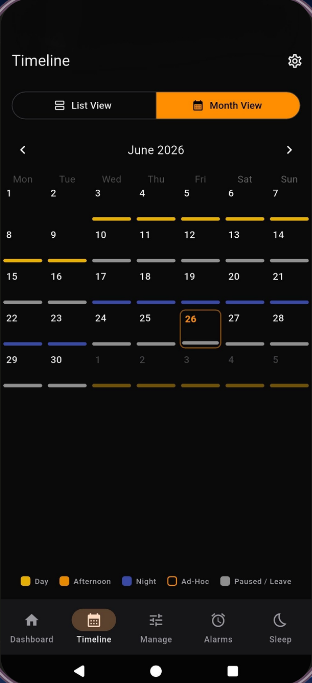
Month view or list view, colour-coded by shift type — day, afternoon, night, ad-hoc and leave. Know what next fortnight looks like without counting on your fingers.
Night shift wrecks a sleep routine. Rostrik works backwards from your next start so you can see when you actually need to be asleep, not just when to get up.
Picked up an extra? Swapped with someone? Drop a single custom shift onto the roster without disturbing the pattern underneath it.
Pause the schedule while you’re on leave and every alarm goes quiet with it. Switch it back on when you land and the rotation picks up where it left off.
How it works
Set-up takes about a minute. After that, Rostrik keeps your alarms lined up with your roster.
Day shifts, night shifts, rotating or custom — start from the pattern closest to yours.
Tell Rostrik how many days on, how many off, and the day your cycle begins.
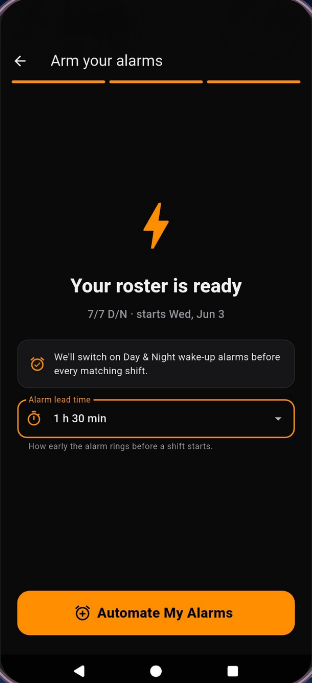
How long before a shift should the alarm ring? Thirty minutes or three hours — your call.
Hit the button once and Rostrik schedules alarms for the shifts ahead of you.
Try it here
Pick a pattern and a start date. This is a simplified taste of what the app builds — the roster laid out, and the alarms it would set for you.
This is the roster maths only. In the app, Rostrik also handles leave, one-off shifts, sleep planning, and schedules the alarms on your phone.
Get Rostrik on Google PlayNo shifts coming up with these settings — try a different start date.
Inside the app
A dark, uncluttered interface built to be used half-awake.
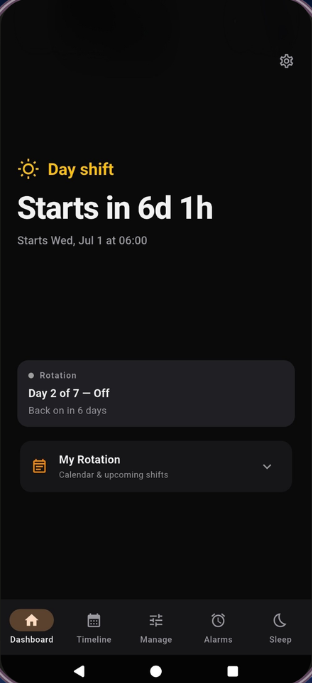
Your next shift, the countdown to it, and where you are in the rotation.
The whole month, colour-coded. Swap to list view when you want detail.
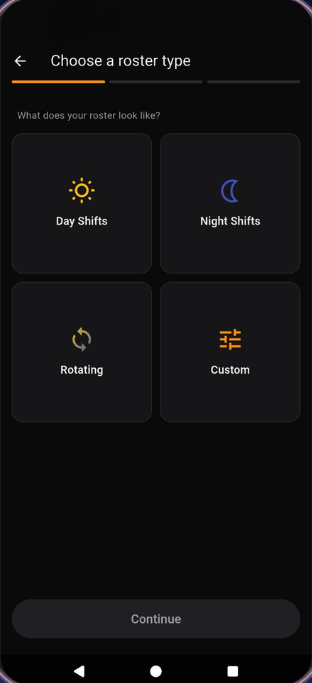
Day, night, rotating or custom — start from whatever matches your job.
Set the lead time once and Rostrik schedules alarms for the shifts that follow.
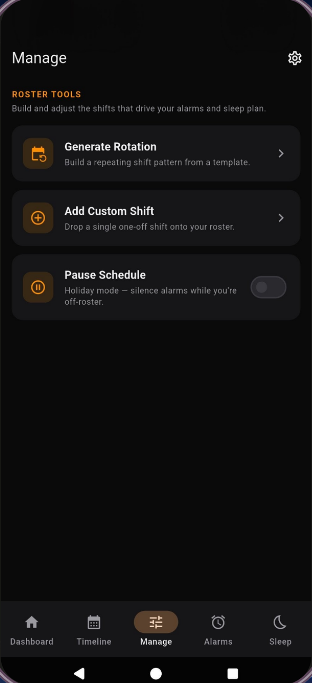
Generate a rotation, drop in a one-off, or pause everything while you’re on leave.
Who it’s for
Questions
Get started
Build your rotation once and let Rostrik line up the alarms — for this swing and the ones after it.